
Ford VIN Decoder and Build Sheet Guide: Learn how to decode a Ford VIN and understand its factory build sheet details. If you are curious about engine, trim, production location, or options not shown on the window sticker, this guide explains it all.
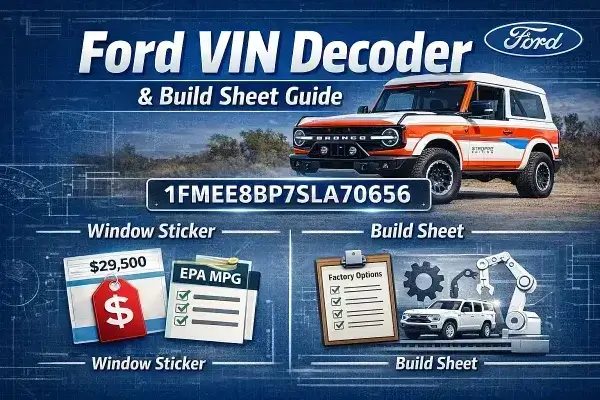
Quick Ford VIN Summary:
- VIN length: 17 characters
- Reveals: country, manufacturer, model, body, engine, restraint system, assembly plant, model year, production sequence
- Supported vehicles: Most Ford and Lincoln models (2007+ for Lincoln)
- Tools included: VIN decoder, license plate lookup, build sheet & window sticker access
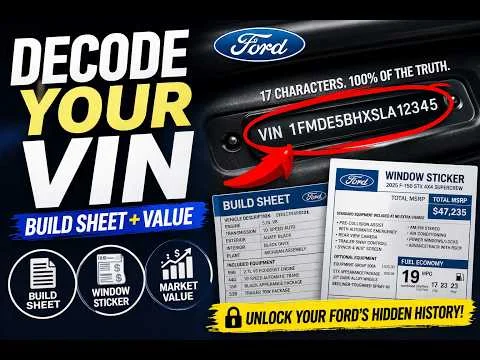
What a Ford VIN Tells You
A 17-character Vehicle Identification Number uniquely identifies every Ford. Each character reveals specific details about the vehicle.
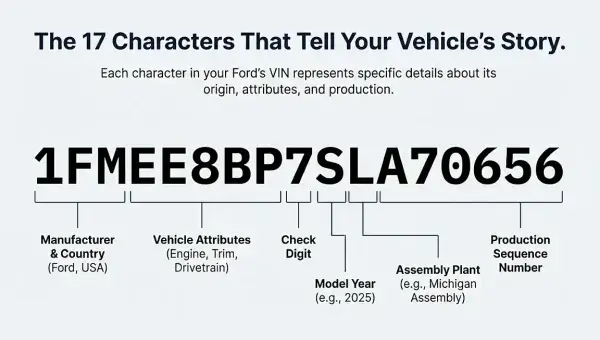
Ford VIN decoder example - decoding what those characters mean
- Digits 1–3: Final assembly country and manufacturer identifier
- Digits 4–8: Model, body, engine, restraint system (manufacturer-specific coding)
- Digit 9: Check digit (mathematical validation)
- Digit 10: Model year (codes repeat every 30 years)
- Digit 11: Assembly plant
- Digits 12–17: Production sequence number
Example VIN: 1FMEE8BP7SLA70656
- 1FM: Ford multipurpose vehicle, USA
- EE8BP: Engine, safety system, trim, body, drivetrain
- 7: Check digit
- S: Model year (2025)
- L: Michigan Assembly Plant
- 70656: Production sequence number
How a Build Sheet Differs from a Window Sticker
A Ford build sheet provides internal factory data, whereas a window sticker is consumer-facing.
- Trim, option codes, and packages
- Internal production instructions for assembly line
- Factory configuration not on the Monroney label
- VIN-linked specifications for dealer or service reference
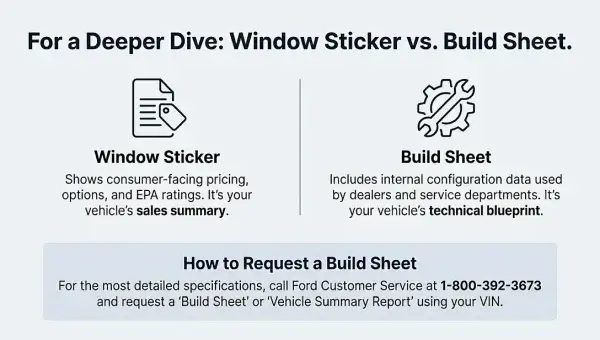
Ford window sticker by VIN vs Ford build sheet
Need an Original Ford Window Sticker?
Retrieve your vehicle’s original MSRP, fuel economy, equipment, and factory options using your VIN:
👉 How to Get a Ford Window Sticker by VIN
- Original MSRP and destination charge
- Standard and optional equipment
- EPA fuel economy estimates
- NHTSA safety ratings
- Factory-installed packages and pricing
Note: Not all VINs have public build sheets; some reports are internal to dealerships.
How to Decode a Ford VIN Step by Step
Use this tool to automatically decode a Ford VIN. Enter your 17-digit VIN to see:
- Engine and drivetrain
- Trim and options
- Model year and assembly plant
Lookup a Ford VIN by License Plate
If you don't know your VIN, retrieve it using license plate number and state. Useful if:
- Looking at a car for sale with only the plate
- Verifying factory options or build details
- Planning to get a window sticker later
Ford Build Sheet vs Window Sticker
- 📞 Call Ford Customer Service at 1-800-392-3673
- 📝 Request a "Build Sheet" or "Vehicle Summary Report"
- 🔎 Provide your 17-digit VIN
Supported Ford and Lincoln Models
- ✔ Ford F-150, F-250, F-350 Super Duty
- ✔ Mustang and Mustang Mach-E
- ✔ Escape, Edge, Explorer, Expedition
- ✔ Bronco, EcoSport, Maverick, Transit
- ✔ Lincoln models (2007+)
Check a Ford's Current Market Value
Use the vehicle's 17-digit VIN to see how much a Ford is worth today. Multiple tools provide estimates based on mileage, condition, trim, and real world sales data:
- Carfax: Instant estimate with vehicle history and nationwide sales data
- Kelley Blue Book (KBB): Compare trade-in, private party, and dealer prices
- CarGurus: Market-based pricing using dealer listings and current trends
Tip: For the most accurate picture, check multiple tools to see how a Ford's options and trim affect resale value.
Troubleshooting VIN or Build Sheet Issues
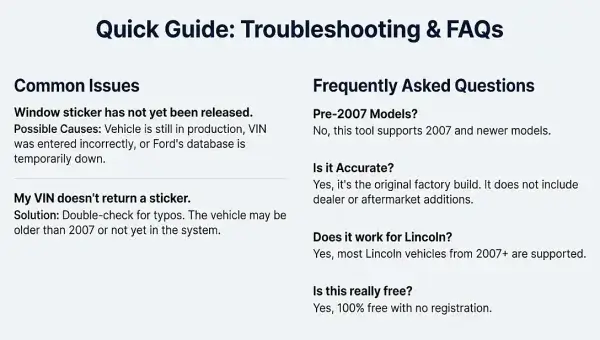
- Vehicle still in production
- VIN contains a typo
- Ford database temporarily unavailable
Learn why a VIN lookup sometimes fails and what to do
Ford VIN Decoder & Build Sheet FAQs
What does a Ford VIN reveal?
Each character in the VIN gives manufacturer, model year, engine, drivetrain, and production info.
Do I need a window sticker if I have a build sheet?
Yes, the window sticker provides MSRP, fuel economy, and consumer-facing options not on the build sheet.
Is this Ford VIN decoding tool free?
Yes, completely free with no account required.
Which Ford models are supported?
Most vehicles and Lincoln models from 2007 onward.
Can I lookup a VIN using a license plate?
Yes, you can retrieve the VIN using the vehicle’s license plate and state, then decode or check the build sheet.