
GMC Window Sticker by VIN Lookup (Free Factory PDF Tool): Looking for your original GMC window sticker by VIN? This free lookup tool lets you retrieve the official factory Monroney label in PDF format for many GMC vehicles.
Your original GMC window sticker includes the MSRP, trim level, engine specifications, transmission, fuel economy ratings, factory-installed options, packages, colors, and other equipment exactly as the vehicle left the factory.
Simply enter your 17-character VIN below to retrieve your original GMC Window Sticker in PDF format. No registration, subscription, or login required.
Free GMC Window Sticker Lookup Tool
Use the free GMC Window Sticker Lookup tool below to retrieve your original factory Monroney label by VIN. If your vehicle is supported, you'll instantly receive the official factory PDF showing the original MSRP, packages, options, and vehicle specifications.
If your VIN is supported, your original GMC window sticker PDF will open immediately in your browser.
How to Get Your GMC Window Sticker by VIN
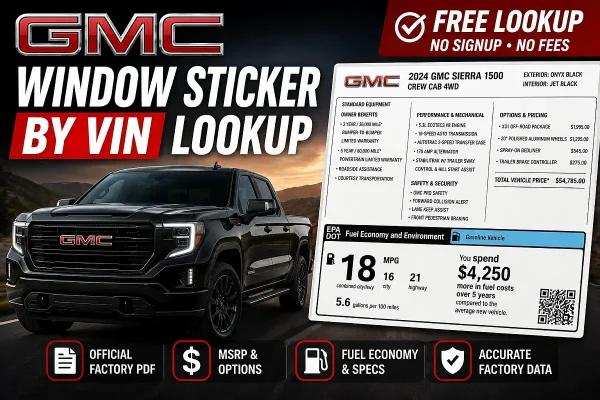
Finding your original GMC window sticker only takes a minute.
- Locate your 17-character Vehicle Identification Number (VIN).
- Enter the VIN into the lookup tool above.
- Download the original GMC factory window sticker PDF.
If your vehicle is supported, you'll receive the original Monroney label issued when the vehicle was built.
What's Included on a GMC Window Sticker?
The factory GMC window sticker provides a complete snapshot of how your truck, SUV, or van was originally equipped before it left the assembly plant.
It may include:
- Original MSRP (Manufacturer's Suggested Retail Price)
- Destination charges
- Factory-installed options and packages
- Engine and transmission specifications
- Drivetrain configuration
- Interior and exterior colors
- Fuel economy (EPA MPG ratings)
- Standard equipment
- Optional accessories
- Safety and government information
Supported GMC Models
The lookup currently supports many recent GMC models, including:
- GMC Sierra 1500
- GMC Sierra HD
- GMC Yukon
- GMC Yukon XL
- GMC Acadia
- GMC Terrain
- GMC Canyon
- GMC Savana
Availability varies by model year and manufacturer records. Most recent GMC vehicles are more likely to have an available factory PDF.
Why Use a GMC Window Sticker Lookup?
Whether you're buying a used GMC truck, SUV, or van, verifying factory-installed equipment, or documenting your vehicle for resale or insurance, the original window sticker is one of the most accurate sources of factory information available. Because it is generated directly from manufacturer records, it provides details that VIN decoders alone often cannot.
If you're researching multiple vehicles, use our Cadillac window sticker lookup and Chevy window sticker lookup to compare other GM brands. For other makes, browse the complete VIN to Window Sticker Lookup collection.
Frequently Asked Questions
How do I get my GMC window sticker by VIN?
Enter your 17-character VIN into the lookup tool above. If a factory record is available, you'll be able to download the original GMC window sticker as a PDF showing the vehicle's MSRP, factory-installed options, trim level, engine specifications, drivetrain, and more.
Is the GMC window sticker lookup free?
Yes. This lookup tool provides access to available factory GMC window stickers without requiring a subscription, account, or registration.
What information is included on a GMC window sticker?
Depending on the model year, a GMC window sticker may show the original MSRP, destination charge, installed equipment and packages, engine and drivetrain details, EPA fuel economy, colors, safety information, and warranty details. The exact information varies by vehicle and label.
Which GMC models are supported?
Coverage varies by model year and individual VIN, so a model being listed above does not guarantee every vehicle will return a PDF. Enter the complete 17-character VIN to check whether a factory record is available.
Where can I find my GMC VIN?
Your 17-character Vehicle Identification Number (VIN) is usually located on the driver's side dashboard near the windshield, inside the driver's door jamb, on your vehicle registration, title, or insurance documents.
Why isn't my GMC window sticker available?
If your lookup doesn't return a factory PDF, first verify that the VIN was entered correctly. Some very new vehicles may not yet have published records, while older GMC models may not have digital window stickers available. For more troubleshooting steps, see our guide to why a VIN lookup fails.
What is a Monroney sticker?
A Monroney sticker is the official factory window sticker required on all new vehicles sold in the United States. It displays the manufacturer's suggested retail price (MSRP), fuel economy ratings, factory-installed equipment, options, warranty information, and other vehicle details.
Can I get a window sticker from an older GMC?
It depends on the model year and whether GMC has retained a digital factory record for that VIN. Most recent model years are more likely to have an available factory PDF, while some older vehicles may no longer have accessible records.
Does every GMC VIN have a window sticker?
No. Availability depends on whether a factory record exists for that specific VIN. While many recent GMC vehicles have digital window stickers available, some older vehicles or special production models may not.
Browse our VIN to Window Sticker Lookup collection to find factory window sticker tools for GMC, Chevrolet, Cadillac, Buick, Chrysler, Dodge, Jeep, RAM, Ford, Toyota, Honda, Nissan, Subaru, Hyundai, Kia, and many other manufacturers.