
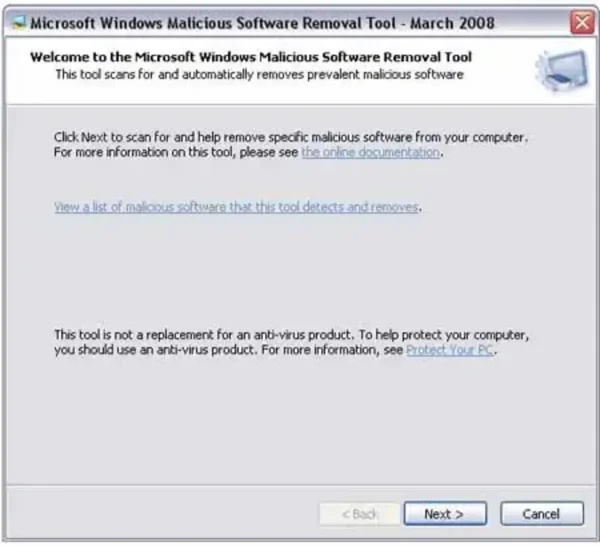
The Microsoft Windows Malicious Software Removal Tool (MSRT) is a free security utility provided by Microsoft that helps detect and remove specific, prevalent malware infections from Windows systems. It is designed as a cleanup tool, not a full antivirus replacement.
What the Malicious Software Removal Tool Does
MSRT scans your system for a limited set of widespread and high-impact malware families and attempts to remove them if detected. Some examples of malware it can detect and remove include:
- Blaster (MSBlast)
- Mydoom
- Sasser
- Netsky
- Bagle
- Sdbot
- Zlob
- Zotob
- WinNT/F4IRootkit
- And dozens of other common threats
Microsoft updates the detection list regularly, typically once per month, alongside Windows Update releases.
Important Limitations
While useful, the Malicious Software Removal Tool has some important limitations:
- It only detects malware that is actively running or already installed on the system.
- It does not provide real-time protection.
- It will not detect dormant malware files that have not been executed.
- It does not replace a full antivirus or endpoint protection solution.
Because of these limitations, MSRT should be used as a secondary cleanup tool, especially on systems that are already suspected to be infected.
When Should You Use MSRT?
- When a system is behaving suspiciously and you want a quick malware check
- As an additional scan alongside Windows Defender or other antivirus software
- When cleaning an infected system before installing stronger security tools
Supported Windows Versions
The Malicious Software Removal Tool works on the following Windows versions:
- Windows 7 (limited support)
- Windows 8 and 8.1
- Windows 10
- Windows 11
On most modern systems, MSRT is automatically delivered through Windows Update and runs silently in the background. You can also run it manually for an on-demand scan.
How to Download and Run MSRT Manually
You can download the Malicious Software Removal Tool directly from Microsoft:
Download MSRT from Microsoft
Once downloaded, simply run the executable and choose a quick scan or full scan depending on your needs.
Final Thoughts
The Microsoft Windows Malicious Software Removal Tool is a helpful utility for detecting and removing known, active malware infections. While it should not be relied upon as your sole line of defense, it remains a useful tool for troubleshooting infected systems and performing initial malware cleanup.