
Using the Smart Life App with Treatlife Switches: Did you know you can pair many Treatlife Wi-Fi smart switches with the Smart Life application? Although Treatlife provides its own companion app, many of its devices are built on the Tuya platform, allowing them to also work with the Smart Life app. Using a single application to manage compatible devices can simplify your smart home setup and reduce the need to switch between multiple apps.
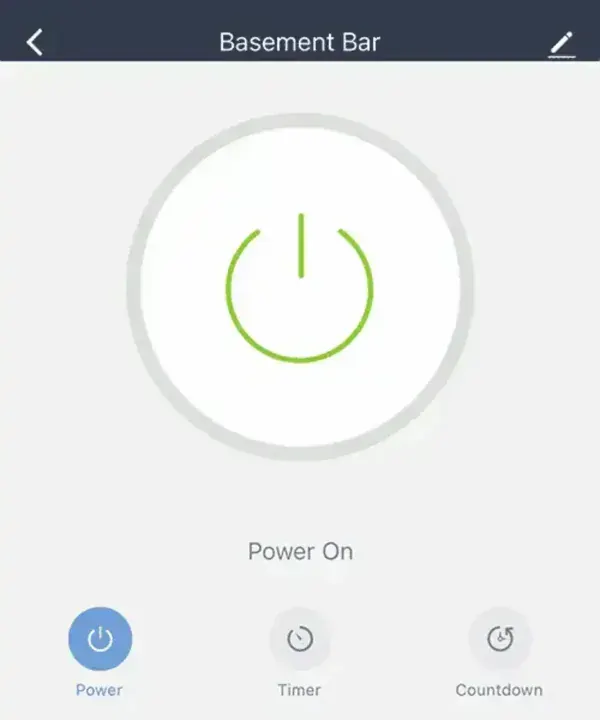
Managing several smart home apps quickly becomes inconvenient as your collection of devices grows. If your Treatlife switches are compatible, adding them to the Smart Life application lets you control them alongside other Tuya-based smart devices from one interface. This guide walks through the pairing process and explains why the two platforms work together.
What is Treatlife?
Treatlife is a manufacturer of smart home devices including Wi-Fi light switches, dimmers, smart plugs, ceiling fan controllers, and lighting accessories. Many of its products are designed to integrate with Amazon Alexa and Google Assistant while providing app-based remote control, scheduling, and automation.
Many Treatlife products are based on the Tuya smart platform, which allows them to be managed by either the Treatlife application or the Smart Life application. Compatibility may vary depending on the specific hardware model and firmware version.
What is the Smart Life App?
Smart Life is a free smart home management application developed for devices built on the Tuya IoT platform. It supports thousands of compatible products from numerous manufacturers, allowing users to manage multiple brands from a single interface.
Key features include:
- Remote Control: Operate compatible smart devices from virtually anywhere using your smartphone or tablet.
- Schedules and Timers: Automatically turn devices on or off at specific times.
- Device Groups: Control multiple devices simultaneously with a single tap.
- Scenes and Automations: Trigger several actions at once based on schedules, device status, or environmental conditions.
- Notifications: Receive alerts from supported security sensors and smart devices.
- Voice Assistant Integration: Works with Amazon Alexa and Google Assistant for hands-free control.
Why Many Treatlife Devices Work with Smart Life
Both applications are built around the Tuya IoT ecosystem. Because many Treatlife switches use Tuya-based firmware, they can often be paired directly with the Smart Life app instead of the manufacturer's application.
This allows users to:
- Manage compatible devices from one application.
- Create automations across products from different manufacturers.
- Reduce app clutter on mobile devices.
- Continue expanding a Tuya-based smart home without switching ecosystems.
Note: Not every Treatlife product supports Smart Life. Compatibility depends on the device model and firmware revision. If automatic discovery fails, consult the manufacturer's documentation.
How to Add a Treatlife Switch to Smart Life
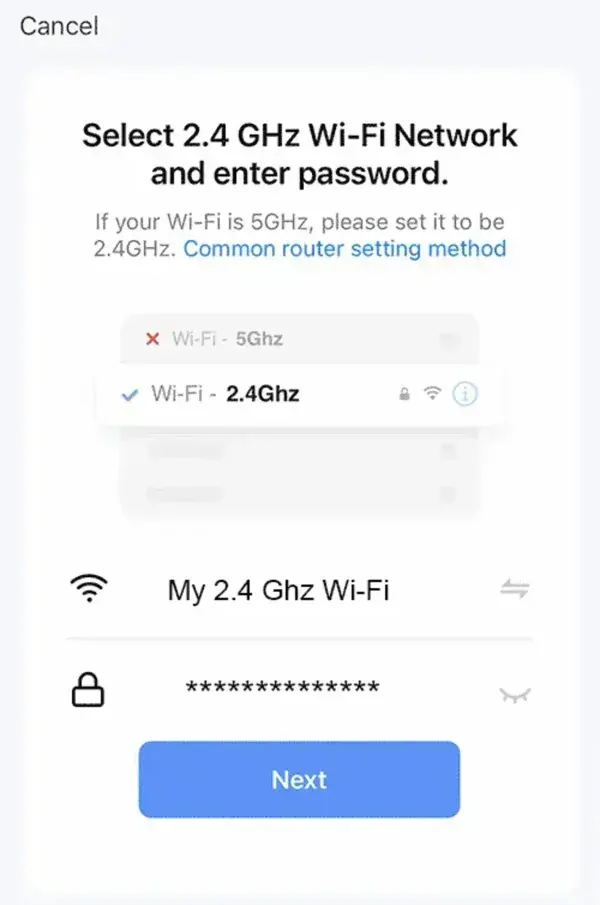
Before beginning, make sure your phone is connected to a 2.4 GHz Wi-Fi network. Most Treatlife Wi-Fi switches do not support 5 GHz wireless networks during setup.
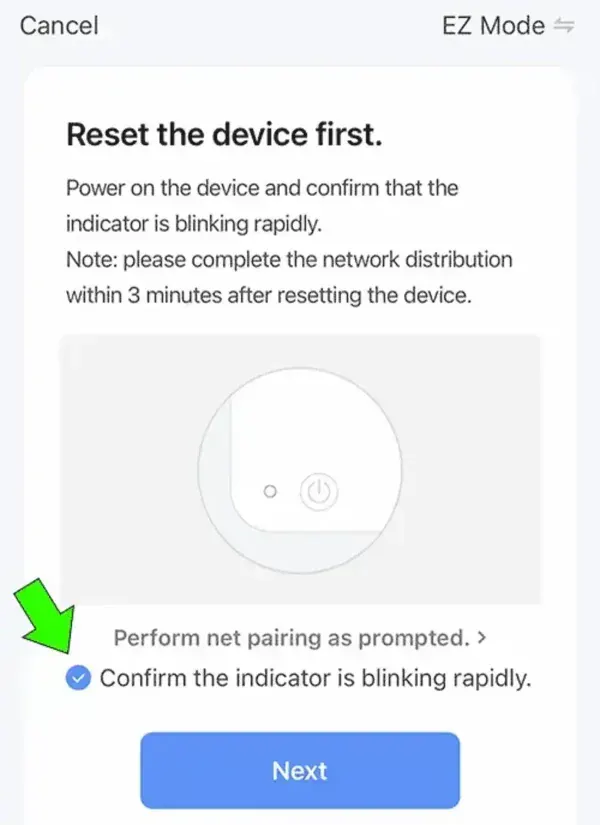
- Reset the Switch: Put the switch into pairing mode. The indicator LED should blink rapidly (typically about twice per second).
- Open Smart Life: Launch the Smart Life application.
- Add a Device: Tap the + icon in the upper-right corner.
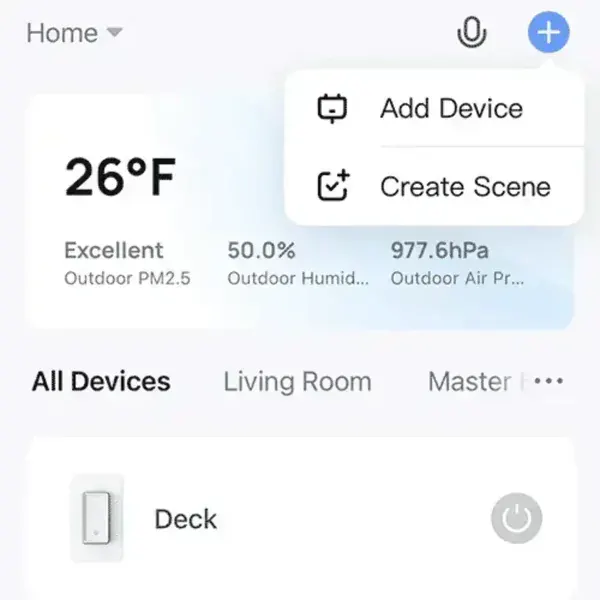
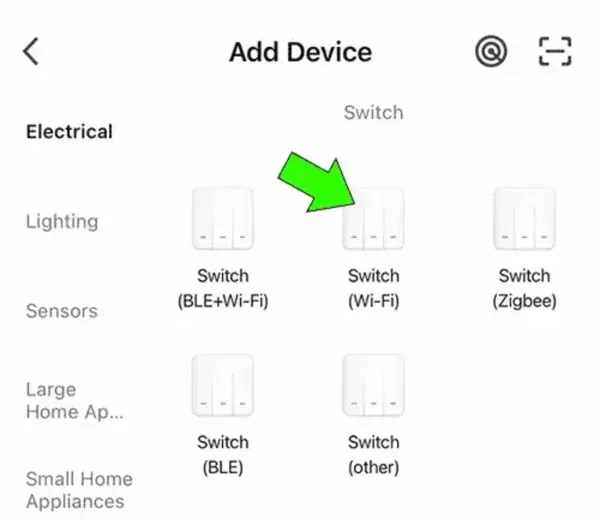
- Select Switch (Wi-Fi): Under Add Manually, choose Switch (Wi-Fi).
- Select Your Network: Confirm your 2.4 GHz wireless network and enter the Wi-Fi password.
- Confirm Pairing Mode: Verify the indicator is blinking rapidly, then continue.
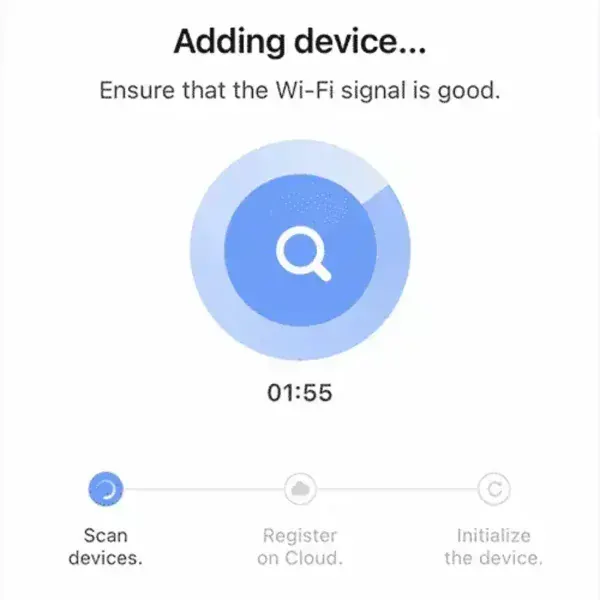
- Wait for Detection: The application will search for and configure your switch.
Verify the Connection
Once pairing is complete, your switch should appear in the Smart Life dashboard where you can control it normally.
You can now rename the device, assign it to a room, create schedules, or include it in scenes and automations.
Using Alexa with Smart Life
If you already use Amazon Alexa, linking the Smart Life skill allows voice control of your newly added switch.
- Open the Amazon Alexa app.
- Navigate to Skills & Games.
- Search for and enable the Smart Life skill.
- Sign in with your Smart Life account.
- Run Discover Devices or ask, "Alexa, discover devices."
- After discovery, control your switch using voice commands such as "Alexa, turn on the kitchen lights."
Troubleshooting
If the switch is not discovered:
- Verify you're connected to a 2.4 GHz Wi-Fi network.
- Reset the switch and place it back into pairing mode.
- Move your phone closer to the router during setup.
- Ensure the device model supports the Smart Life platform.
- Restart both the application and the switch before trying again.
Final Thoughts
If your Treatlife switch is built on the Tuya platform, pairing it with the Smart Life application is an excellent way to simplify your smart home. Managing compatible devices from one interface makes automation easier, reduces app clutter, and provides seamless integration with Amazon Alexa and Google Assistant.
For users building a growing smart home ecosystem, Smart Life remains one of the most flexible applications available for managing Tuya-compatible devices from multiple manufacturers.