
Looking for Run commands for Windows? The following is a run command Windows list or cheat sheet. Run commands allow a user to quickly access a variety or Windows tools and applications directly via the Start -> Run interface. For quick reference, the application name is on the left and the command you would type in the run window is shown to the right in bold.
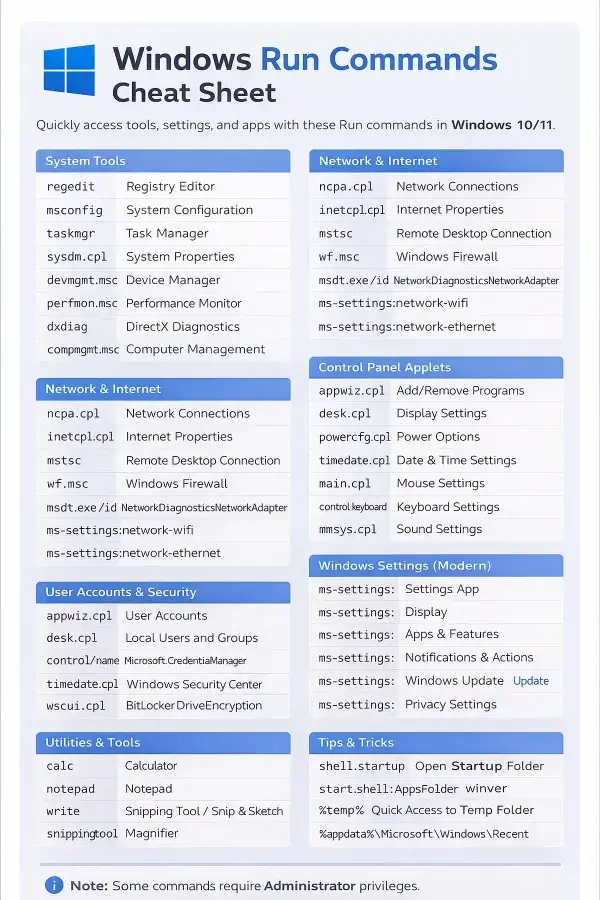
Windows Run Commands (Updated for Windows 10/11)
The Run dialog in Windows is a powerful way to quickly launch system tools, settings, and apps without navigating through menus. Below is an updated list of commands, grouped for easy reference, compatible with modern Windows versions.
System Tools
- Registry Editor: regedit (may require Administrator)
- System Configuration (MSCONFIG): msconfig
- Task Manager: taskmgr
- System Properties: sysdm.cpl
- Device Manager: devmgmt.msc
- Performance Monitor: perfmon.msc
- DirectX Diagnostics: dxdiag
- Computer Management: compmgmt.msc
- Event Viewer: eventvwr.msc
- Services: services.msc
Network & Internet
- Network Connections: ncpa.cpl
- Internet Properties (Internet Options): inetcpl.cpl
- Remote Desktop Connection: mstsc
- Windows Firewall: wf.msc
- Windows Network Diagnostics: msdt.exe /id NetworkDiagnosticsNetworkAdapter
- Wi-Fi Settings: ms-settings:network-wifi
- Ethernet Settings: ms-settings:network-ethernet
User Accounts & Security
- User Accounts: netplwiz
- Local Users and Groups (Pro/Enterprise): lusrmgr.msc
- Credential Manager: control /name Microsoft.CredentialManager
- Windows Security Center: wscui.cpl
- BitLocker Drive Encryption: control /name Microsoft.BitLockerDriveEncryption
Control Panel Applets
- Add/Remove Programs (Apps & Features): appwiz.cpl
- Display Settings: desk.cpl
- Power Options: powercfg.cpl
- Date & Time Settings: timedate.cpl
- Mouse Settings: main.cpl
- Keyboard Settings: control keyboard
- Sound Settings: mmsys.cpl
- Regional Settings: intl.cpl
Windows Settings (Modern)
- Settings App: ms-settings:
- Display: ms-settings:display
- Apps & Features: ms-settings:appsfeatures
- Default Apps: ms-settings:defaultapps
- Notifications & Actions: ms-settings:notifications
- Windows Update: ms-settings:windowsupdate
- Privacy Settings: ms-settings:privacy
Utilities & Tools
- Calculator: calc
- Notepad: notepad
- WordPad: write
- Snipping Tool / Snip & Sketch: snippingtool
- Magnifier: magnify
- Character Map: charmap
- Windows Explorer: explorer
- Command Prompt: cmd
- PowerShell: powershell
Tips & Tricks
- Open Startup Folder: shell:startup
- Open Apps Folder: start shell:AppsFolder
- Check Windows Version: winver
- Quick Access to Temp Folder: %temp%
- Open Recent Documents Folder: %appdata%\Microsoft\Windows\Recent
Note: Some commands require Administrator privileges in Windows 10/11. If a command fails, try running it from an elevated Run dialog or command prompt. Additional Windows run commands exist, but these are the ones I feel are important to keep on hand.
For your convenience, here's a pdf version of the Windows Run Commands Cheat Sheet freely made available by me for you to download.
Enjoy!