
How to Turn Num Lock On or Off on a Laptop Without a Num Lock Key or numpad? Many smaller laptops and notebooks use compact keyboards that do not include a numeric keypad or even a physical Num Lock key. This can be frustrating if you rely on number entry or software that expects Num Lock to be enabled.
In the following simple solution, I cover an easy way to turn Num Lock on or off on the fly using a lightweight software script created specifically for this purpose.
NumLocker | Num Lock Enabler for Laptops
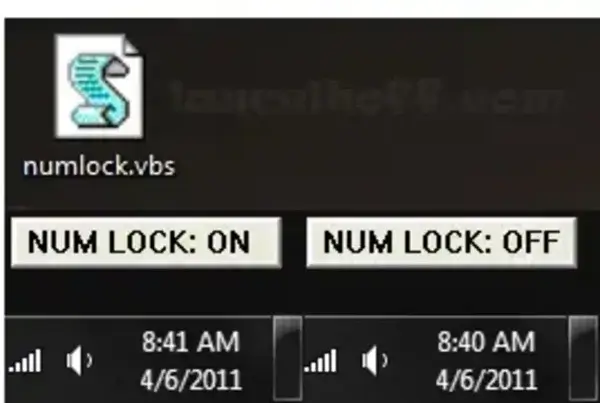
The example shown above uses my utility called NumLocker. This simple Num Lock enabler allows you to toggle Num Lock on or off even if your keyboard does not have a numeric keypad or a physical Num Lock key.
NumLocker is especially useful on small laptops, notebooks, and compact keyboards where traditional Num Lock functionality is missing.
How to Enable or Disable Num Lock Without a Key
I created a simple Visual Basic script (VBS) designed for computers that do not include a physical Num Lock key. These keyboards are commonly found on smaller laptops and portable devices that omit the numpad entirely.
You are free to use this tool to programmatically enable or disable Num Lock on your Windows PC without installing any software.
How to Use NumLocker
To begin using NumLocker on a PC without a physical Num Lock key:
- Download NumLocker Enabler
- To turn Num Lock on, double click the numlock.vbs script.
- To turn Num Lock off, simply double click the same script again.
That is all there is to it. The script acts as a toggle, switching Num Lock on and off each time it is run.
Why Use Software to turn Num Lock on or off ?
- Works on laptops without a numeric keypad
- No physical Num Lock key required
- No installation or configuration needed
- Lightweight and fast
- Perfect for compact or minimalist keyboards
Frequently Asked Questions
Why does my laptop not have a Num Lock key?
Many smaller laptops remove the numeric keypad to save space. As a result, the Num Lock key is often omitted entirely.
Does this work on Windows laptops?
Yes, I designed it specifically for Windows systems that support running Visual Basic scripts.
Is NumLocker safe to use?
Yes. The script simply toggles the Num Lock state and does not install software or modify system files.
Can I use this if my keyboard has no numpad at all?
Yes, the simple script allows software based control of Num Lock even when no physical numpad exists.
If you found this small utility useful and think others might benefit from it as well, feel free to share this page.
Enjoy!