
Are you looking to disable WordPress plugin update notifications? Want to hide update notices for a specific plugin or remove plugin update notifications entirely? This simple solution explains how to disable WordPress plugin update notifications safely using code, including single plugins, multiple plugins, or disabling them globally.
This method works by filtering the WordPress update transient and is commonly used for premium plugins, custom builds, staging environments, or controlled update workflows.
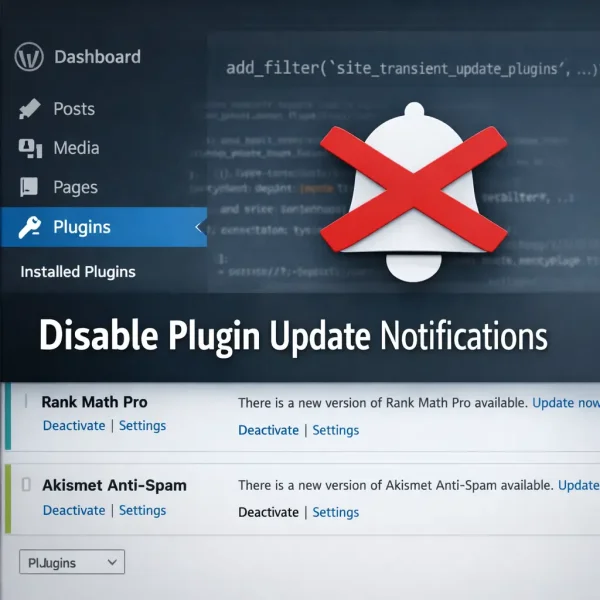
Quick answer: You can disable WordPress plugin update notifications by filtering the site_transient_update_plugins hook and removing the plugin from the update response array. This hides the update notice while still allowing manual updates.
Why Disable WordPress Plugin Update Notifications
Site owners often prefer to hide WordPress update notifications when:
- Using a managed update workflow
- Running premium plugins with custom licensing
- Eliminate update nags (plugin developers, expired licenses etc)
- Preventing accidental updates by clients
- Maintaining version consistency across environments
- Reducing dashboard clutter
Note: WordPress will still check for updates. This only removes the notification from the dashboard UI.
Disable Updates for One Plugin
To disable updates for just one plugin, add this to your theme functions.php file,
replacing plugin-folder/plugin-name.php with your actual plugin path.
// Disable update notification for a single plugin
function lh_disable_single_plugin_updates( $value ) {
    if ( isset( $value->response['plugin-folder/plugin-name.php'] ) ) {
        unset( $value->response['plugin-folder/plugin-name.php'] );
    }
    return $value;
}
add_filter( 'site_transient_update_plugins', 'lh_disable_single_plugin_updates' );
Example: Disable Rank Math Pro Update Notifications
Here is an example showing how to Disable Update notifications for Rank Math Pro. A use case might be that you've temporarily cancelled your subscription, and in the meantime, don't want to see the nag.
// Disable Rank Math Pro update notification
function lh_disable_rankmath_updates( $value ) {
    if ( isset( $value->response['seo-by-rank-math-pro/rank-math-pro.php'] ) ) {
        unset( $value->response['seo-by-rank-math-pro/rank-math-pro.php'] );
    }
    return $value;
}
add_filter( 'site_transient_update_plugins', 'lh_disable_rankmath_updates' );
Note: When a Rank Math PRO subscription expires, the plugin will continue to work on your site with its PRO features, but you will no longer receive automatic updates, new features, or premium support. The site states that you can continue using the last installed version, but renewing your license is highly recommended to maintain security and compatibility. Staying up to date ensures your SEO tools remain aligned with the latest search engine changes.
Disable Updates for Multiple Plugins
You can disable multiple plugin update notifications within one function.
// Disable update notifications for multiple plugins
function lh_disable_multiple_plugin_updates( $value ) {
    if ( isset( $value->response ) ) {
        unset( $value->response['seo-by-rank-math-pro/rank-math-pro.php'] );
        unset( $value->response['akismet/akismet.php'] );
        unset( $value->response['hello-dolly/hello.php'] );
    }
    return $value;
}
add_filter( 'site_transient_update_plugins', 'lh_disable_multiple_plugin_updates' );
Disable All WordPress Plugin Update Notifications
If you want to completely remove plugin update notifications across your site:
// Disable all plugin update notifications
add_filter( 'site_transient_update_plugins', '__return_null' );
This hides all plugin updates in:
- Dashboard Updates page
- Plugins screen
- Admin toolbar update count
Use this only if you manage updates manually.
MU Plugin Method (Recommended)
To prevent the code from being lost when switching themes, place it in a Must Use plugin.
Create this file:
/wp-content/mu-plugins/disable-plugin-updates.phpThen paste your preferred snippet inside. MU plugins load automatically and cannot be disabled from the dashboard.
Frequently Asked Questions (FAQ)
Does disabling plugin update notifications stop plugins from updating?
No. It only hides the notification in the WordPress dashboard. Plugins can still be updated manually, via auto-updates, or with WP-CLI.
Is it safe to disable plugin update alerts?
Yes, as long as you have a maintenance process in place. Otherwise you could miss important security updates.
Will this affect WordPress core updates?
No. The site_transient_update_plugins filter only affects plugin update notifications and does not impact core or theme updates.
Can I disable plugin updates only for specific plugins?
Yes. Simply unset the plugin path inside the filter function for each plugin you want to hide from update notifications.
What is the safest way to keep this from being removed?
Add the snippet to a Must-Use plugin inside /wp-content/mu-plugins/ so it stays active even if your theme changes.
Final Thoughts
Disabling plugin update notifications is a simple but powerful way to control your WordPress maintenance workflow. Whether you want to hide a single premium plugin notice or suppress updates globally, the transient filter approach is lightweight and reliable.
If you manage multiple environments, pairing this with a staging workflow or version control provides the safest long-term setup.