
MSCOMCTL.OCX Error – How to Fix? MSCOMCTL.OCX is a Microsoft ActiveX control library file that some programs depend on. If this file becomes unregistered, missing, or corrupted, you may see the following error when opening an application:
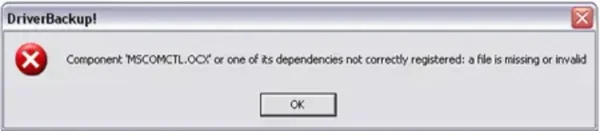
Component 'MSCOMCTL.OCX' or one of its dependencies not correctly registered: a file is missing or invalid
How to Fix MSCOMCTL.OCX Missing or Not Registered
Follow these steps carefully:
- Check if the file exists: Search your local drive for
MSCOMCTL.OCX. Common locations:- Windows XP / 7 / 8:
C:\WINDOWS\system32 - Windows 10 / 11 64-bit:
C:\Windows\SysWOW64
- Windows XP / 7 / 8:
- Download MSCOMCTL.OCX if missing: You can safely get the file from official or trusted sources. Example: Download MSCOMCTL.OCX
- Copy the file to the correct folder:
- For 32-bit Windows:
C:\Windows\System32 - For 64-bit Windows:
C:\Windows\SysWOW64
- For 32-bit Windows:
- Register the file with the system:
- Open Command Prompt as Administrator: Press Windows + S, type
cmd, then Right-click → Run as Administrator - Type the following command and press Enter:
- 32-bit:
regsvr32 C:\Windows\System32\MSCOMCTL.OCX - 64-bit:
regsvr32 C:\Windows\SysWOW64\MSCOMCTL.OCX
- 32-bit:
- You should see a confirmation dialog: "DllRegisterServer in MSCOMCTL.OCX succeeded"
- Open Command Prompt as Administrator: Press Windows + S, type
- Restart your computer to make sure the changes take effect.
Additional Notes
- Always download OCX files from reputable sources.
- If your program still fails after registering, ensure you’re running the program with Administrator privileges.
- Some older programs may require MSCOMCTL.OCX versions from the early 2000s. Check the program documentation if problems persist.